A board over your GitLab issues. Move a card and the issue moves.
What it does
- The board shows your live GitLab issues, with nothing to keep in sync.
- Drag a card and the GitLab issue moves with it.
- Columns come from your own labels, states or milestones.
- Edit titles, labels, assignees and comments without leaving the board.
- The board is a page, so it lives beside the docs it belongs to.
The board
Columns come from a status:: scoped label. The board reads the
labels already on your issues and lays them out in workflow order, with no
per-column setup.
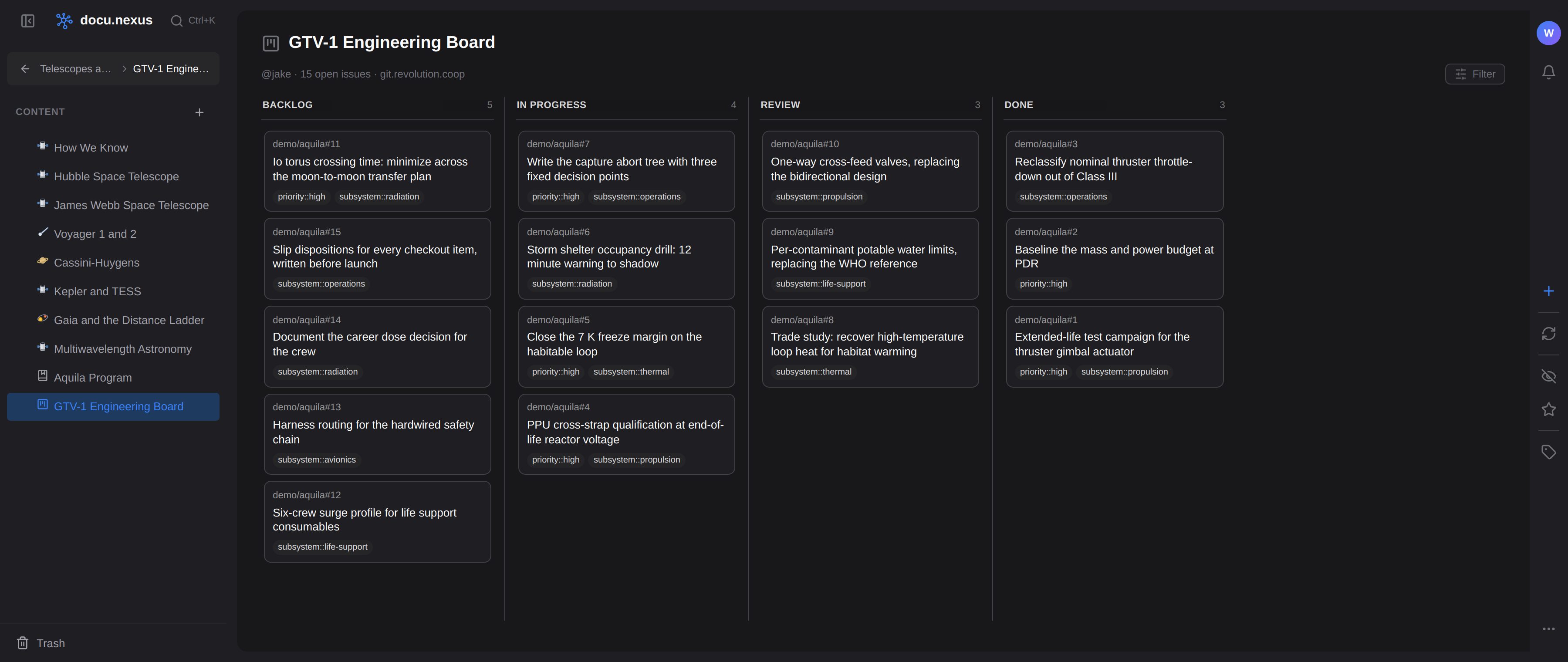
The board sits with the writing
The requirement, the trade study and the procedure live in your space; the issue is the task that moves them along. A card can sit next to the page that explains it, and neither one is a copy.
There is exactly one status. Drag a card from Review to Done and the GitLab issue closes, so the board and the tracker cannot disagree.
What it needs
A GitLab instance, self-managed or gitlab.com.
Each person signs in with their own GitLab account, so the board only ever shows issues that reader is allowed to see.
GitLab is the only backend today. Boards over other trackers, and over docu.nexus's own data, are on the roadmap.